<--- Clover PracticePay Help /Clover Devices
Device care and storage
Store your devices
Guidelines for storing your device
Store your Flex
If you use a Clover Flex or Flex Pocket device and need to stop using it for a period of time, fully charge it and then power it off. You can store all Flex devices for 12 months before they need to be recharged.
Your Flex has two batteries. Together, they enable tamper detection when sufficiently charged. A fully charged primary battery protects your device from transitioning to tampered mode. If the primary battery fully discharges, the backup battery maintains tamper-detection for an additional period of time. When the backup battery discharges, the device's ability to process transactions may be affected.
Charge your Flex before storage
If you need to store your Flex, follow these steps.
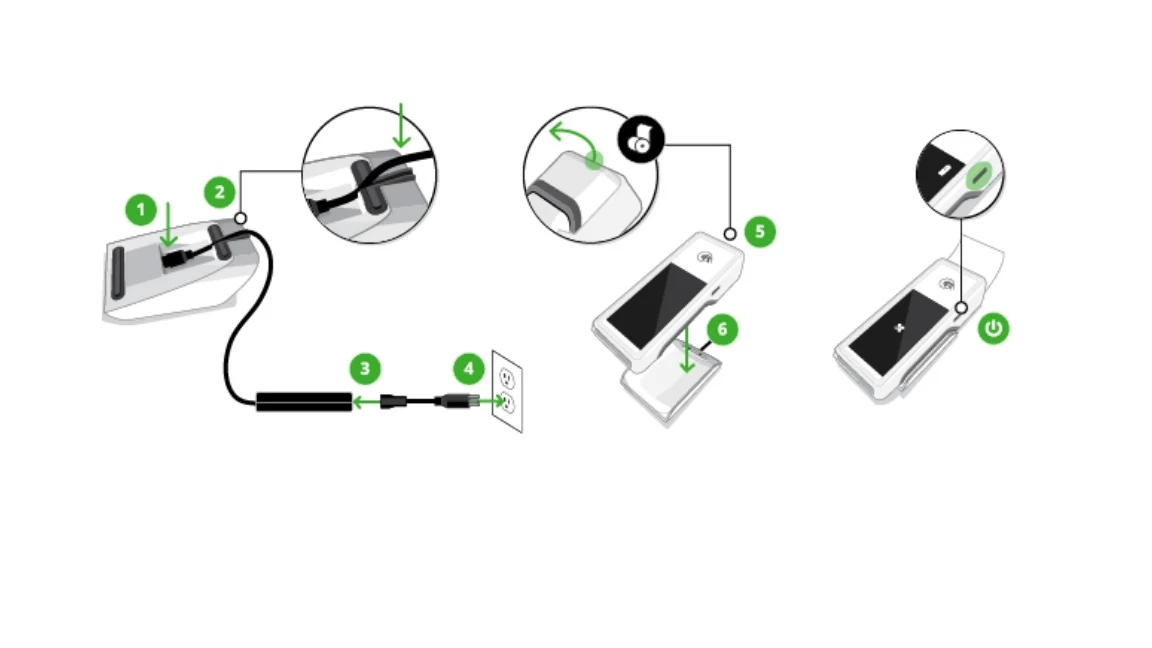
1. Hold the charging cradle upside down and firmly insert the power cord into the charging input.
2. Thread the cord across and out the back.
3. Insert the power cord into the charging brick.
4. Plug in the other end of the power cord to a power outlet.
5. Set the Flex on top of the charging cradle.
6. Allow the device to charge until the indicator shows a full battery.
7. Power off the fully charged device:
○ Remove the device from the charging cradle.
○ Press and hold the power button for 3 seconds.
○ Select the Power Off button on the screen.
Store your Mini
If you use a Clover Mini and need to stop using it for a period of time, fully charge it and then power it off. You can store Mini devices for up to 12 months before they need to be recharged.
Your Mini has two batteries. Together, they enable tamper detection when sufficiently charged. A fully charged primary battery protects your device from transitioning to tampered mode.
If the primary battery fully discharges, the backup battery maintains tamper-detection for an additional period of time. When the backup battery discharges, the device's ability to process transactions may be affected.
Charge your Mini before storage
When possible, leave your Mini device on and connected to power. However, if you need to disconnect and store it, follow these steps:
If the device is not on right now:
1. Connect the device to a power source.
2. Allow it to turn on.
3. Check the battery gauge.
4. If the device is not fully charged at 100%, allow time for it to fully charge.
When the battery gauge reads 100%:
1. Turn off the device.
2. Open the printer door.
3. Remove the paper roll.
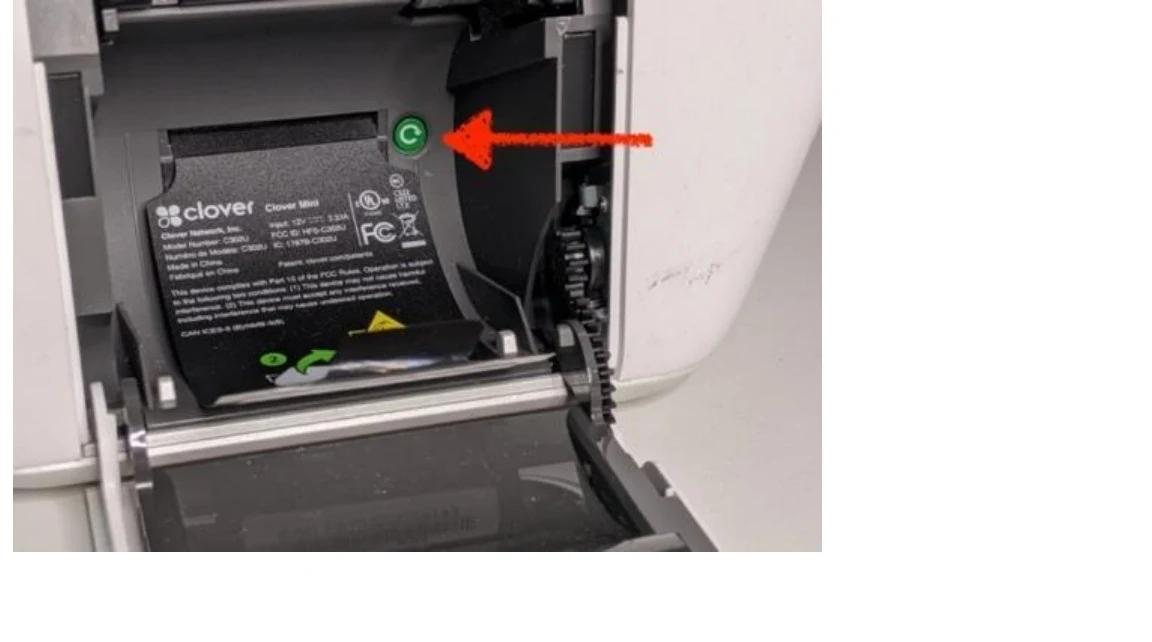
1. Locate the green power button.
2. Press and hold the power button until the Power Off prompt appears on the display.
3. Tap Power Off and confirm that you want to shut down the device.
4. Allow the device to completely turn off before removing the power cable. Your device is ready for storage.
Guidelines for storing your device
When you store your device, follow these guidelines:
Keep the device out of direct sunlight.
Avoid high humidity.
Avoid extreme temperatures by keeping the storage environment within the following range: 0°C (32°F) to 40°C (105°F).
You can store your Flex or Mini for up to one year. If your device needs more than 12 months of storage, recharge it before continued storage.
Contact us
Clover Support at (855) 280-4508 (Monday–Friday, 9 AM–8 PM Eastern Time)